
Is Instagram enough? The question photographers actually ask
No — and the reason is structural, not snobbery. Instagram is where couples discover you, and it does that brilliantly. What it can’t do: tell a full wedding as a story rather than nine detached squares, explain your collections and what they cost, or appear when someone searches “wedding photographer in [your region]”. A couple about to spend four figures does the same thing you would before a big purchase — they find the website and judge what’s there. The feed earns the click; the site earns the enquiry.
The five pages, and the job each one does
- Home. One unmissable hero image, one line saying who and where you shoot, one route into the galleries. Resist the montage.
- Galleries. The pages that book you. One full story per page — a whole wedding from getting-ready to last dance, 40–60 images in the day’s order. Three complete stories beat a highlights grid of thirty weddings, because couples are buying how their day will be told.
- Investment. Your most-visited page after the galleries. Name the collections, lead with a from-price, and say what happens next. Couples shortlist by budget before they email — silence here costs enquiries, it doesn’t protect them.
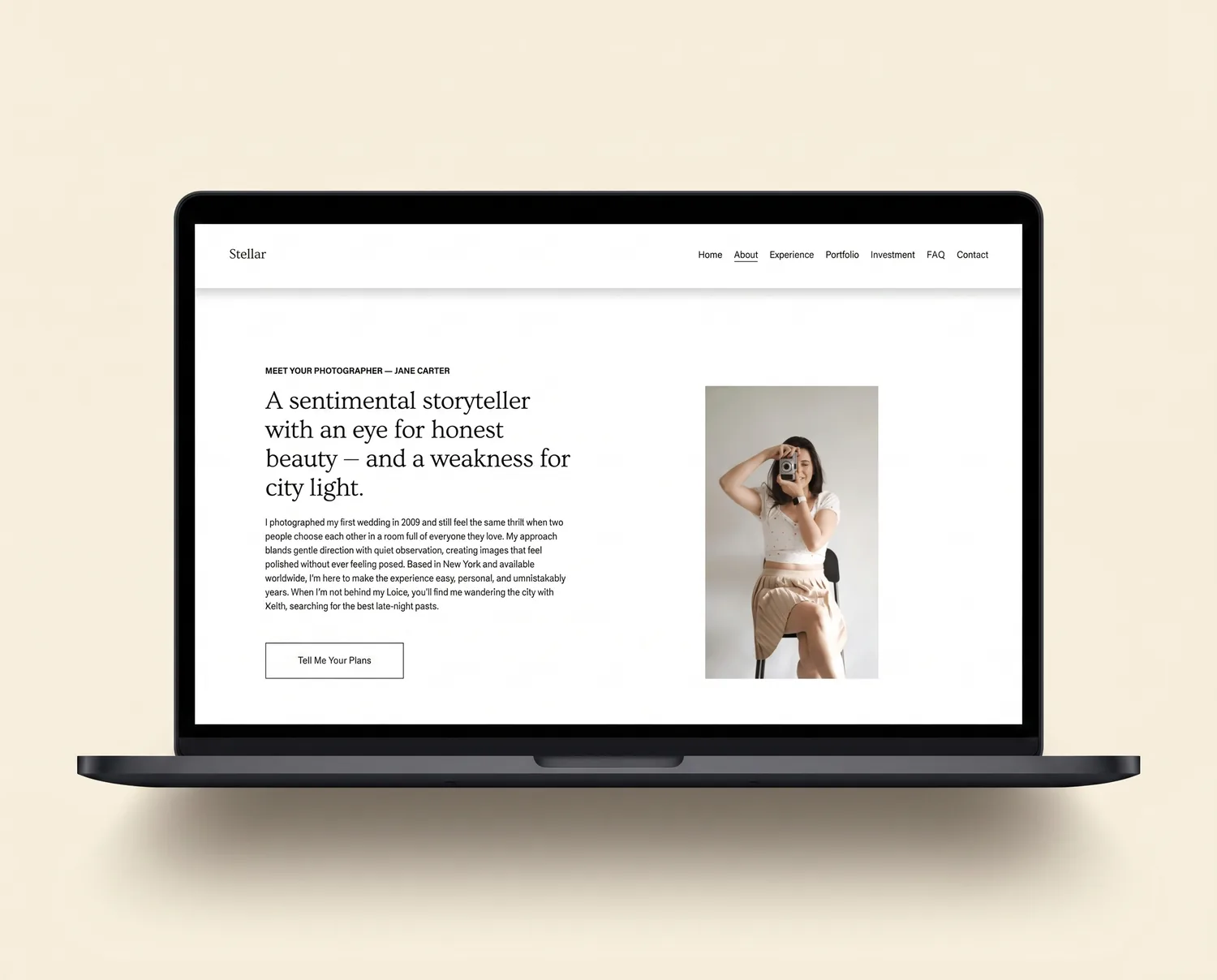
- About. Your face, how you work on the day, and why. Wedding photography is hiring a person to stand beside you for twelve hours — people book people.
- Contact. Date, venue, a message box, one obvious button, reachable from every page — designed for a phone at 10pm, because that’s when wedding planning happens.
How to build it on Squarespace, step by step
- Start a Squarespace trial. Start a free Squarespace trial — no card required — so you’re building in the real tool from day one.
- Choose your starting template. Squarespace’s free Ortiz if budget decides, or a premium photography template with the five pages already designed — we compared the options honestly in the best Squarespace templates for photographers. Premium runs roughly $225–$300, or £299 for Stellar.
- Build three story-led galleries. One full wedding per page, in the day’s order. Export web-sized images so the pages stay fast.
- Write the investment page. Collections, from-price, what happens after they enquire.
- Connect your domain and set page titles. “Wedding Photographer in [Region] — [Name]” on the home page, then submit the site to Google Search Console.
- Point everything at it. Instagram bio, email signature, directories, planner and venue profiles. The site converts the attention those channels create.
Affiliate link — if you go on to subscribe, Squarespace pays us a small commission at no extra cost to you.
What about client galleries and proofing?
Delivering and proofing client galleries is a different job from marketing, and no website template — on any platform — should try to do it. Pair the site with a dedicated proofing service such as Pic-Time or Pixieset and link it from your site’s navigation for existing clients. Keep the marketing site focused on its one job: the next booking.
What it costs
Doing it yourself: the Squarespace subscription plus £0–£300 for a template. Having it designed for you: professional Squarespace builds typically start around £1,495–£3,000 — that’s our custom Squarespace design service, and we’ll tell you plainly if a template would serve you just as well.
Frequently asked questions
Do photographers need a website, or is Instagram enough?
Instagram wins you the follow; the website wins you the booking. A feed can't tell a full wedding as a story, explain your collections and prices, or rank when a couple searches for a photographer in your area. Couples about to spend four figures vet photographers on their website — without one, that vetting happens on a grid of squares.
How many galleries should a photography website launch with?
Three full stories, told properly — a complete wedding from getting-ready to last dance beats a highlights reel of thirty weddings. Launch with three and add one each season; a gallery page is a normal Squarespace page you duplicate.
Should photographers put prices on their website?
Show at least a starting figure. “Collections from £X” filters out budget mismatches before they cost you an enquiry-call each, and signals confidence to the couples who can book you. Full price lists are optional; total silence costs more than it protects.
Is Squarespace or WordPress better for a photography website?
Squarespace for most working photographers: image handling and galleries work out of the box, templates are portfolio-first, and there is nothing to maintain or break. Add a dedicated client-proofing service (Pic-Time, Pixieset) alongside it rather than rebuilding that on WordPress.
Where to go next
If you know what the site needs, the next decision is the starting point — our comparison of the best Squarespace templates for photographers puts the premium and free options side by side with live demos. Or go straight to Stellar, the template we built around exactly this structure. Unsure which route fits? Ask us — straight answer, no pitch.