
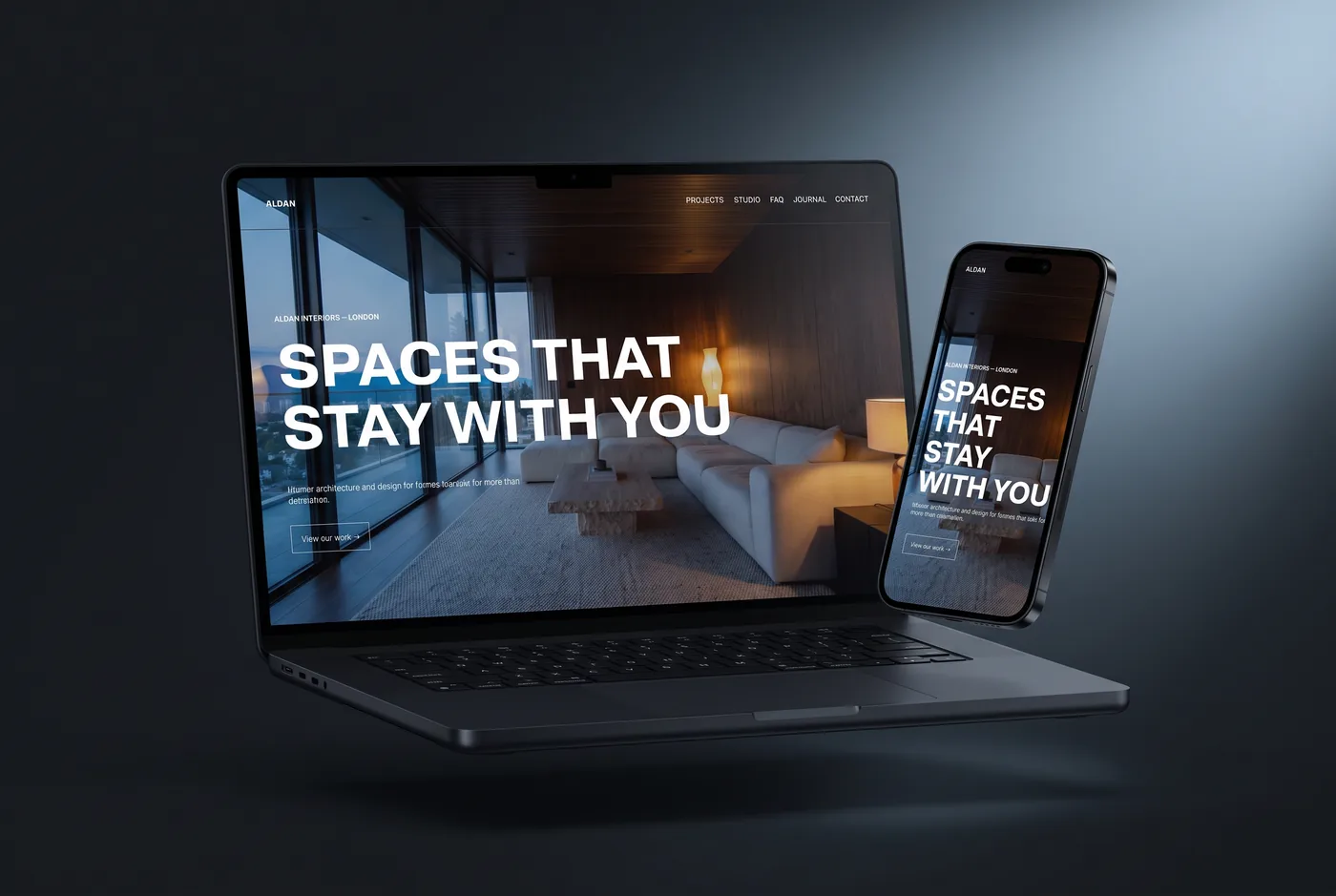
One thing before anything else: we sell one of the templates on this list. Basalt is ours. Rather than pretend otherwise, this comparison shows you exactly what each option costs and includes — including where a competitor or a free template is the better call for you — so you can check our reasoning instead of taking our word.
What an interior design website actually needs
Most template roundups compare fonts. Interiors clients hire on three things, and a template either supports them or leaves you building them yourself:
- Project storytelling, not just galleries. A grid of pretty images sells nothing on its own. Each project needs its own page — the brief, the rooms, the materials, the outcome. Templates without a proper project-page layout turn every case study into a DIY job.
- A services page that explains how working with you works. Most residential clients have never hired a designer. Consultation, concept, sourcing, install — the site has to walk them through it before they’ll enquire.
- A short path to enquiry. One clear contact route, reachable from every project page, with as few form fields as you can live with.
Every template below is judged against those three, plus price and what’s actually included.
The comparison
| Template | Price | Built for interiors? | What you get |
|---|---|---|---|
| Basalt (SQSP) | £299 one-time | Yes — interior design studios & architects | Seven page types incl. image-led portfolio, FAQ and privacy policy; full live demo; setup guide; delivered as your own Squarespace site |
| Isabela (Kseniia Design) | $229 one-time | Yes — editorial interiors portfolio | Squarespace 7.1 portfolio template with an earthy, editorial register; bold image-first layout |
| Arch&Gold (Applet Studio) | $225 one-time | Yes — luxury interiors | Dual light and dark layouts with a high-end gallery feel; Applet also sells Chloe ($225, nine page layouts) for a broader studio structure |
| Selene (Squarespace, free) | Free with any plan | Portfolio-led studios | Full-width imagery and editorial typography; services and project depth are yours to build |
| Colton (Squarespace, free) | Free with any plan | Interiors services sites | Portfolio, services and about structure out of the box; the most practical free starting point |
Prices checked 24 August 2026 on each seller’s site; premium sellers run periodic sales. Every template here — ours included — also needs a normal Squarespace subscription.
Basalt — our pick, and where it isn’t
We built Basalt for studios whose work sells on atmosphere: large, unhurried project photography with the interface receding around it, in the most visually restrained register of our seven templates — on purpose. All seven page types an interiors business needs arrive already designed, including the FAQ and privacy pages studios usually bolt on late, and the whole demo site is open — click through every page before paying anything.
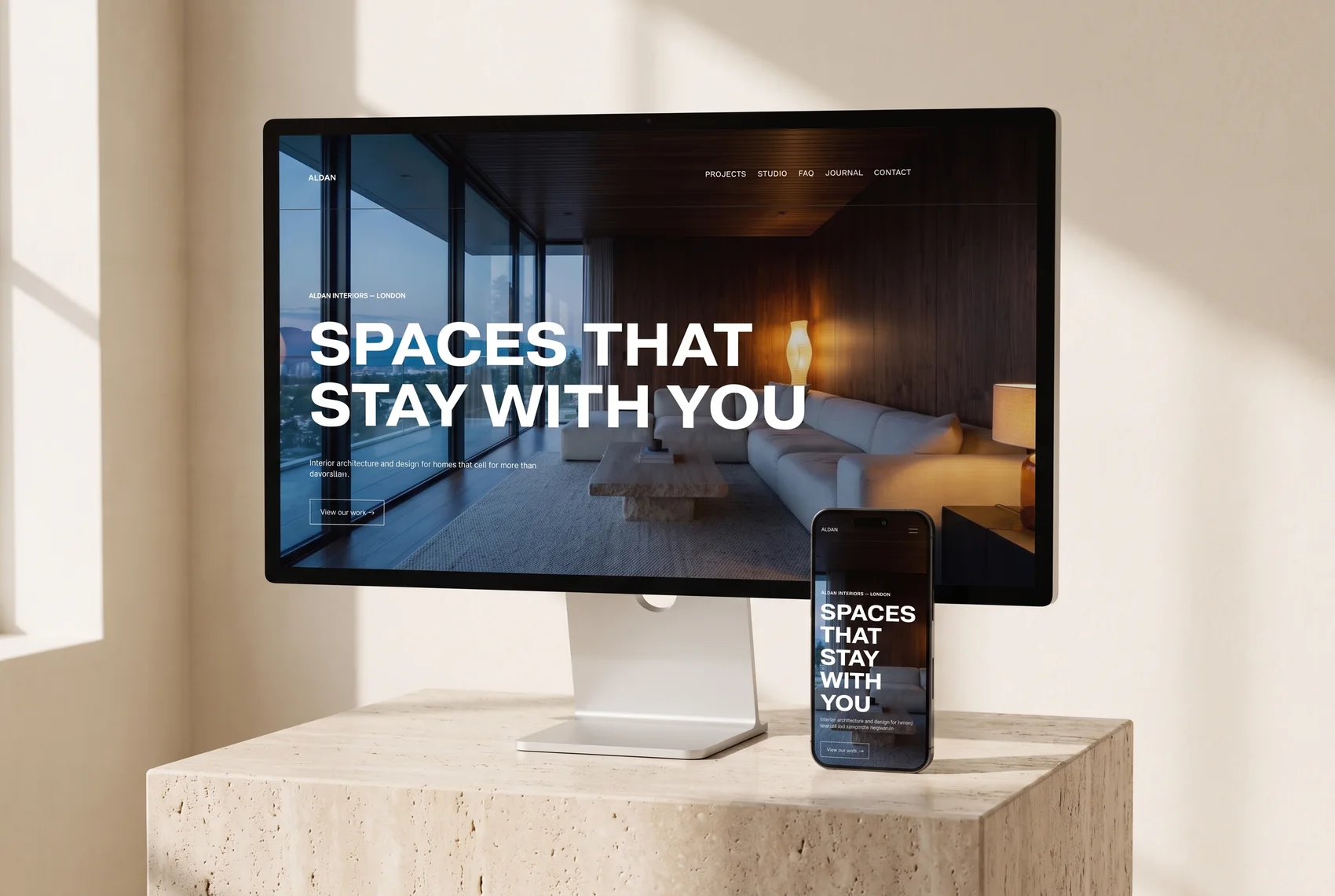
Where Basalt is not the right choice: if you sell furnishings or decor online, a commerce-first template like Squarespace’s free Camdez is the better base; if you want a nine-page structure with press and booking pages, look at Applet’s Chloe; and if £299 isn’t in the budget, start free with Selene or Colton and upgrade when the enquiries justify it. An honest free start beats a stretched purchase.
The strongest alternatives, fairly
Isabela by Kseniia Design ($229) is an editorial, image-first portfolio with an earthy palette that suits residential studios with strong photography. Arch&Gold by Applet Studio ($225) leans luxury, with dual light and dark layouts — a good fit for high-end and hospitality-adjacent work. Both are genuine competitors; the differences that matter are structural: check each demo for a real project case-study layout and a services page, because that’s where templates in this niche most often come up short.
Selene and Colton, Squarespace’s own free templates, are the honest budget answer. Selene gives portfolio-led studios full-width imagery and dramatic typography; Colton is the more practical starting point, with portfolio, services and about pages already sketched. What neither decides for you is the part premium templates exist for: the full page architecture and the conversion path.
Free vs premium: what you’re actually buying
Squarespace’s free templates are genuinely good and genuinely free. What a premium template buys is time and decisions: the niche-specific pages exist, the typography and spacing calls are made, and you launch in days instead of the weeks it takes to restructure a generalist layout into a studio site. If you bill your own time at anything like design rates, the maths usually favours premium — and if it doesn’t, that’s a real answer too. Our guide to choosing a Squarespace template covers the decision in more depth, including when a template is the wrong route entirely.
How buying a premium template works
You pay once and receive the template as its own Squarespace site invitation — so an existing live site is never touched while you build. Replace the demo projects with your own, connect your domain, publish on your own subscription; you own everything, with no recurring fees to the template seller. With Basalt the invitation and setup guide arrive by email within 24 hours of checkout, and at checkout you can add your company tax ID (UK/EU VAT, US EIN) for a proper business receipt. The full mechanics — and all seven of our templates — are on the premium Squarespace templates page.
Frequently asked questions
What is the best Squarespace template for interior designers?
For a studio that wants project case-study pages and an enquiry path already designed, the strongest premium options in 2026 are Basalt (£299, SQSP), Isabela ($229, Kseniia Design) and Arch&Gold ($225, Applet Studio). If budget is the deciding factor, Squarespace's free Selene and Colton templates are the best starting points for interiors.
Is Squarespace good for interior designers?
Yes. An interior design business needs a portfolio-and-enquiries site, and Squarespace's image handling, template quality and near-zero maintenance make it a better fit than WordPress for a non-technical studio. The trade-off is less plugin flexibility — which most studios never miss.
What is the best free Squarespace template for interior designers?
Selene, for portfolio-led studios — full-width imagery and editorial typography suited to high-end project photography. Colton is the better pick if you want services and about pages structured out of the box. Both are included with every Squarespace plan; the pages an interiors business needs beyond the demo are yours to build.
How much does an interior design website cost?
Building it yourself: a Squarespace subscription plus £0–£300 for a template — free templates cost nothing, premium interior-design templates run roughly $225–$349. Having it designed for you typically starts around £1,495–£3,000 for a professional Squarespace build.
Can I install a premium template on my existing Squarespace website?
Yes. A premium template arrives as a separate Squarespace site invitation, so you build it out alongside your live site without touching it, then connect your domain when the new site is ready. Visitors never see the work in progress.
Do interior design Squarespace templates work for architects?
Generally yes — both businesses sell through image-led project case studies, so the page architecture is the same shape. Basalt is designed for interior design studios and architects together; check any other template's demo for a project-page layout that can carry a brief, drawings and finished photography.
Where to go from here
Ten minutes in a live demo tells you more than any table. Start with the Basalt demo, compare it honestly against Isabela’s and Arch&Gold’s, and if you’re not sure what your studio’s site actually needs first, our companion guide — what an interior design website needs — walks through the five pages before you spend anything. Still undecided? Ask us — we sell templates and custom builds, so you’ll get a straight answer either way.